FM-1 CUSTOM FIRMWARE · SIDE A

for the M-VAVE FM-1 · v2.1 · GPL-3

NU//METALSkratchmasterPRO

A robot turntablist and a drop-tuned band in a pocket synth. Plug it in, drop the needle, flash it from this page.

INSTALL

  1. Plug the FM-1 in with a USB data cable and switch it on.
  2. Close anything else that might be talking to it: a DAW, the FM-1 editor.
  3. Hit INSTALL and allow MIDI when the browser asks. SysEx is how the firmware travels.
  4. Leave the cable alone for about a minute. The head turns into a record; when it has, the FM-1 restarts on its own.

Something went wrong? Hold OCT- while switching the FM-1 on. That starts only the updater, silent. Then hit INSTALL again. M-VAVE's official firmware can go back on any time. Flashing is at your own risk.

pulling the record off the shelf…

another .fwsc, the log

Install a package from your disk instead (your own build, or NU//METAL 1.0):


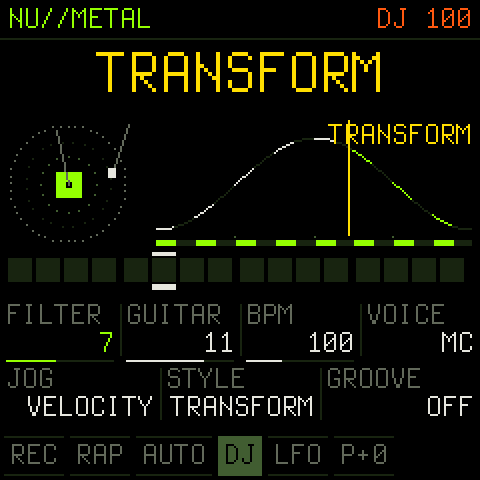
Scratching TRANSFORM with the technique's score on screen
17 techniques, scored, live playhead
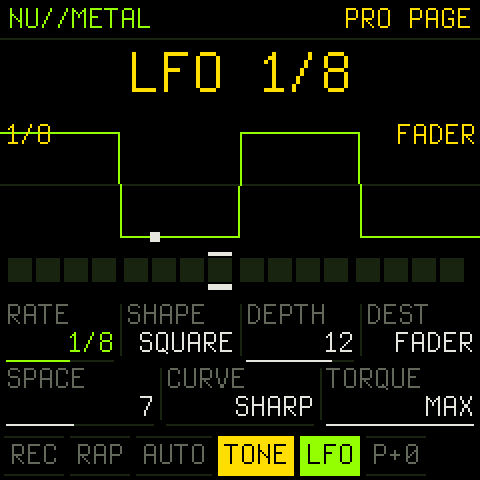
The PRO page with the LFO
the PRO page: LFO locked to the beat
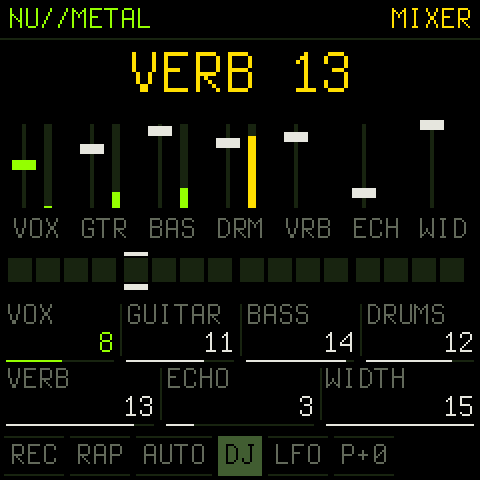
The MIXER page with faders and meters
the MIXER, with meters

TRACKLISTING

SAM, the 1982 Software Automatic Mouth, says 27 words onto a virtual record and you cut them up with the keys and the jog wheel. Behind you: double-tracked chugging guitars, a bass and a twelve-piece kit locked to ten grooves. Switch on RAP MODE and the robot takes the mic.

SIDE A · THE DECK

  1. 01
    17 TECHNIQUESbaby to crab to flare, each one drawn as a score
  2. 02
    COMBO ROUTINEStechniques chained into phrases
  3. 03
    HAMSTER / CURVE / TORQUEflip the fader, shape it, weigh the platter
  4. 04
    AHHH + FRESHthe battle-record classics

SIDE B · THE BAND

  1. 05
    A REAL LFO11 synced rates, 7 shapes, 6 destinations
  2. 06
    TONE PLAYthe keys as a pitch fader
  3. 07
    THE MIXERvox, guitar, bass, drums, verb, echo, width
  4. 08
    STUDIO GLUEvocal chain, stereo plate, bus comp, soft limit

LINER NOTES

PLAY, then ARPthe band kicks in and the robot raps
tap / hold a keysay the word / scratch it in the STYLE you picked with ALGORITHM
turn SELECTscratch by hand; flick it, let go, and the record keeps spinning
hold LFO + turnthe PRO page: rate, shape, depth, destination, reverb, curve, torque. Tap LFO for on/off
hold FX + turnthe MIXER. Tap FX for the next effect
HOMEDJ, BEAT (the kit on the keys), TONE (the keys as a pitch fader)
hold EDITthe second layer of every button, and the audio load

Every control is in the README.